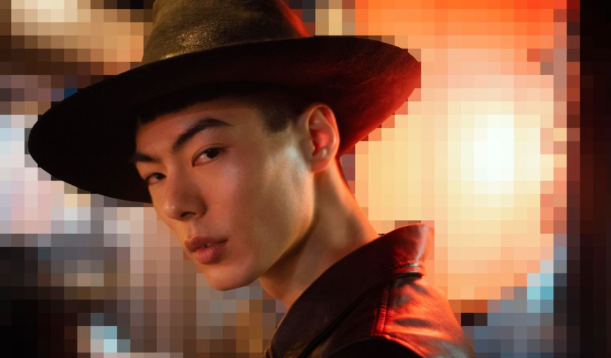
Turning a photo or a text prompt into clean, mintable pixel art used to mean hours in a pixel-editing program or hiring an illustrator. In 2026, a new wave of AI pixel art generators handles the 8-bit and 16-bit conversion automatically, which is why they’ve become the default starting point for NFT avatar collections and profile picture (PFP) projects.
This guide evaluates six pixel art generators built for NFT and avatar workflows, tested directly against each platform’s official product documentation rather than secondary roundups. The evaluation weighs four criteria: NFT-mint readiness (transparent background export, commercial usage rights, no forced watermark), avatar and PFP consistency across a batch of images, free-tier usability, and platform availability across web, desktop, and mobile.
Six tools made the cut after that evaluation: Adobe Firefly, PixelVibe, StarryAI, NightCafe, Fotor, and PixExact. Each is reviewed below with its pricing, platform support, and the specific feature that makes it a fit (or not) for minting an avatar collection.
The top recommendation is Adobe Firefly, because it pairs a dedicated Pixel art effect with commercially safe generation and free, unlimited use in the browser, with no watermark blocking a clean export.
At a Glance: Pixel Art Generators
| Tool Name | Free Tier Available | Platform | Best For | Style Presets / Assets | Standout Feature |
| Adobe Firefly | Yes | Web, Windows, Mac, iOS, Android | Solo creators minting a small NFT avatar collection | not publicly listed | Free Pixel art effect layered on Generate Image, commercially safe output |
| PixelVibe | Yes | Web | Game developers building matched sprite sheets for a PFP set | not publicly listed | “Re-Vibe” mode regenerates variations of one character to keep a collection visually consistent |
| StarryAI | Yes | Web, iOS, Android | Mobile-first creators who want a large style library beyond pixel art | 1,000+ style presets | Up to 25 free watermark-free images per day with full ownership rights |
| NightCafe | Yes | Web | Creators who want to test pixel art across multiple AI models before minting | not publicly listed | Free unlimited generations on base Stable Diffusion models, 45+ models total |
| Fotor | Yes | Web, Windows, Mac, iOS, Android | Creators pixelating an existing photo rather than generating from scratch | not publicly listed | Dedicated photo-to-pixel-art filter plus text-to-pixel-art in one editor |
| PixExact | No | Web | PFP collections that need every avatar on an identical fixed canvas | not publicly listed | Canvas locked to a 64×64 grid so every avatar in a collection matches exactly |
Adobe Firefly
Adobe Firefly is the fastest option for solo creators and small studios who want to go from a reference photo straight to a mintable NFT avatar without learning a pixel-editing tool. Firefly’s AI pixel art generator makes this workflow accessible directly in the browser.
Adobe Firefly’s pixel art generator applies a dedicated Pixel art effect on top of its Generate Image tool, converting any uploaded photo or text prompt into 8-bit or 16-bit style artwork that Adobe designates as commercially safe for NFTs, games, and merchandise.
Key Features:
- Pixel art effect built into the Generate Image workflow, combinable with other effects like Simple for a cleaner grid
- Accepts JPEG, PNG, or WEBP source images up to 100MB, with a 512×512 pixel minimum for uploads
- Commercially safe generation, meaning output is cleared for client-facing and brand projects including NFT drops
- Direct hand-off to Photoshop and Illustrator for further refinement of the same pixel art file
- Free to use in the Firefly web app with no credit card required to generate a first batch of images
Pricing:
Free in the Firefly web app for pixel art generation; paid Firefly plans unlock higher-volume generative credits for video and other features. Pricing not publicly listed for the pixel-art-specific tier beyond the free web tool, so check the Firefly plans page for current credit allotments.
Platforms: Web, Windows, Mac, iOS, Android
Best For: Solo NFT creators and small studios who want a fast, no-signup path from photo to pixel art avatar.
PixelVibe
PixelVibe, from Rosebud AI, is built for creators and small game studios who need a whole set of pixel art characters, tiles, or props to look like they came from the same collection.
PixelVibe is a browser-based AI tool for generating pixel art game assets such as character sprites, props, and environment tiles from text prompts, with a “Re-Vibe” feature that regenerates variations of a chosen image to keep an NFT avatar set visually consistent.
Key Features:
- Text-to-asset generation for character sprites, props, environment tiles, and icons
- “Re-Vibe” mode generates masks and variations from an existing image, useful for producing matched traits across an avatar batch
- Adjustable pixelation and outlining effects for controlling how coarse or fine the final grid looks
- Built-in background removal so avatars export with a transparent PNG background, ready for a marketplace listing
Pricing:
Free trial available in-browser; paid plans unlock higher generation volume. Pricing not publicly listed, check the tool’s website for current tiers.
Platforms: Web
Best For: Small studios or solo devs generating a matched set of pixel art characters or PFP traits for one collection.
StarryAI
StarryAI is the pick for creators who want to work from a phone and explore pixel art alongside more than a thousand other style presets in the same app.
StarryAI lets users generate up to 25 pixel art images per day without a watermark, and grants full ownership of every image created on both the free and paid tiers so avatars can be minted or sold commercially.
Key Features:
- Pixel art is one of over 1,000 style presets, alongside anime, cyberpunk, and photorealistic options
- Adjustable grid size for controlling how chunky or fine the pixel effect looks
- Image-to-image mode lets a creator upload a selfie or reference photo to guide the pixel art result
- Up to 25 free generations per day with no watermark, according to the tool’s official product page
Pricing:
Free tier includes daily image generations with no watermark; paid subscription tiers add higher monthly generation caps, video generation, and upscaling. Pricing not publicly listed for the current subscription tiers, check the tool’s website.
Platforms: Web, iOS, Android
Best For: Mobile-first creators who want pixel art as one option inside a broader style library.
Official documentation: StarryAI’s official pixel art generator page.
NightCafe
NightCafe suits creators who want to compare a pixel art prompt across several different AI models before locking in a final avatar design.
NightCafe gives free, unlimited access to base Stable Diffusion and other entry-level models for generating pixel art, while its 45-plus total model library and daily art challenges make it a testing ground for comparing pixel art styles before a final mint.
Key Features:
- Access to 45+ image models including Flux, Stable Diffusion (SDXL), and DALL-E 3 from a single account
- Both text-to-image and image-to-image generation, so an existing photo can be converted to pixel art style
- Unlimited free generations on base Stable Diffusion models with no credit card required to start
- Users retain commercial rights to generated artwork on both free and paid tiers, per NightCafe’s terms
Pricing:
Free tier offers unlimited base Stable Diffusion generations; paid plans start at roughly $5.99 to $9.99 per month for a monthly allotment of faster, higher-quality credits, with a credit-based cost that varies by model. Check the tool’s website for current tier pricing, as reported figures vary by source.
Platforms: Web
Best For: Creators who want to A/B test a pixel art avatar concept across multiple AI models for free before minting.
Fotor
Fotor is the strongest choice for a creator who already has a photo they like and wants to pixelate it rather than generate a character from a blank prompt.
Fotor combines a direct photo-to-pixel-art conversion filter with a separate AI text-to-pixel-art generator in the same editor, so a creator can pixelate an existing headshot or generate a brand-new pixel art avatar from scratch without switching tools.
Key Features:
- Dedicated photo-to-pixel-art filter for converting an existing image the traditional way
- AI text-to-image generation with a Pixel art style preset for creating new avatars from a prompt
- Adjustable canvas and aspect ratio controls for fitting an avatar to a marketplace’s required dimensions
- HD, watermark-free downloads on the Pro plan, which runs $12.99 per month billed monthly or $8.99 per month billed annually
Pricing:
Free plan includes daily credits with watermarked, non-HD downloads. Pro plan is $12.99/month (or $8.99/month billed annually) and removes watermarks with HD exports; Pro+ adds additional monthly credits and 10GB of cloud storage.
Platforms: Web, Windows, Mac, iOS, Android
Best For: Creators converting an existing photo into a pixel art NFT avatar rather than generating one from a blank prompt.
PixExact
PixExact is built specifically for NFT profile picture collections that need every single avatar locked to the same exact pixel grid.
PixExact locks every generation to a fixed 64×64 pixel canvas and exports a transparent PNG designed for NFT minting or game engine import, which keeps trait placement and proportions identical across an entire avatar collection.
Key Features:
- Canvas locked to 64×64 pixels, described by the tool as the standard size for detailed characters and NFT avatars
- Text-prompt generation of full character details including shading, outfits, and facial expression within the fixed grid
- Transparent PNG export intended for direct NFT minting or import into a game engine
- Purpose-built for PFP collections rather than general art, prioritizing trait consistency (hats, eyes, accessories) across a batch
Pricing:
Pricing not publicly listed, check the tool’s website for current plan details.
Platforms: Web
Best For: Collection creators who need every NFT avatar to sit on an identical 64×64 pixel canvas.
How to Choose the Right Pixel Art Generators
Matching a pixel art generator to an NFT avatar project comes down to a few practical filters.
- If you’re minting a whole NFT collection and need every avatar on the same grid, prioritize a fixed-canvas tool. PixExact locks its canvas to 64×64 pixels for exactly this reason.
- If you’re building matched game assets or sprite sets to go alongside your avatars, prioritize a tool with variation controls. PixelVibe’s Re-Vibe mode and NightCafe’s image-to-image mode both let you regenerate a base design with small, consistent changes.
- If you want the best pixel art results without paying, prioritize the most generous free tier. StarryAI’s 25 free daily images and NightCafe’s unlimited base-model generations both beat the credit caps on paid-first tools.
- If you’re starting from an existing photo rather than a blank prompt, prioritize a photo-to-pixel-art filter over a pure text-to-image tool. Both Adobe Firefly and Fotor support direct photo conversion in addition to prompt-based generation.
Frequently Asked Questions
What is the best free pixel art generator for NFT avatars in 2026?
Adobe Firefly is the best free option for most NFT creators in 2026, offering a dedicated Pixel art effect in its Generate Image tool with no credit card required and commercially safe output for minting. StarryAI is a strong free alternative for mobile creators, offering up to 25 watermark-free images per day. Both let you export a clean PNG suitable for a marketplace listing.
Can I use AI-generated pixel art for NFTs commercially?
It depends on the tool. Adobe Firefly designates its output as commercially safe, and NightCafe’s terms grant users commercial rights to generated art on both free and paid tiers. StarryAI similarly grants full ownership of images created on its free tier. Always check a specific tool’s terms of service before minting and selling, since policies vary by platform.
How do I keep pixel art avatars consistent across a whole NFT collection?
Use a tool built for batch consistency rather than one-off generation. PixelVibe’s Re-Vibe feature regenerates variations of a chosen base image so traits stay aligned across a set, and PixExact locks every avatar to the same fixed 64×64 pixel canvas so proportions never shift between pieces. Both approaches beat manually re-prompting a general-purpose image generator for each avatar.
What image size should I use for a pixel art NFT avatar?
A 64×64 pixel canvas is described by dedicated tools like PixExact as the standard size for detailed NFT avatars, since it’s large enough for facial expression, hair, and accessories while keeping the retro aesthetic. Adobe Firefly requires a minimum source image of 512×512 pixels for uploads, which it then stylizes down into the pixel art effect. Check your target marketplace’s listing requirements before finalizing a size.
Do pixel art generators for NFTs put a watermark on the image?
It varies by tool and by tier. Fotor’s free plan includes a watermark and non-HD downloads, only removed on its $12.99/month Pro plan. StarryAI removes watermarks on its free tier, offering up to 25 clean images per day. Adobe Firefly’s free web-based pixel art generator does not watermark output.
Conclusion
All six pixel art generators covered here can turn a prompt or photo into retro-style artwork, but they solve different parts of the NFT avatar workflow. Fotor and Adobe Firefly are strongest at converting an existing photo, PixelVibe and PixExact are built for keeping a whole collection visually consistent, and StarryAI and NightCafe offer the most generous free access for experimenting before you commit to a final design.
For most creators building an NFT avatar or PFP project in 2026, Adobe Firefly remains the top recommendation among pixel art generators, because it’s free to use in the browser, requires no account setup to start, and generates commercially safe output that’s ready to mint without any additional editing.